
Onboarding
In AttenDeep HRMS, onboarding is all about creating a smooth, welcoming, and structured journey for new employees as they become part of the organization. It begins even before their first working day through a process known as pre-boarding, where they receive essential details and documents in advance. Once onboarded, employees are guided through company policies, introduced to their teams, and given access to important systems. This process helps them understand the company culture, builds their confidence, and sets expectations clearly. Follow-up steps ensure they feel settled, connected, and supported. A well-executed onboarding process makes a strong first impression and lays the foundation for long-term employee satisfaction and performance.
Onboarding View
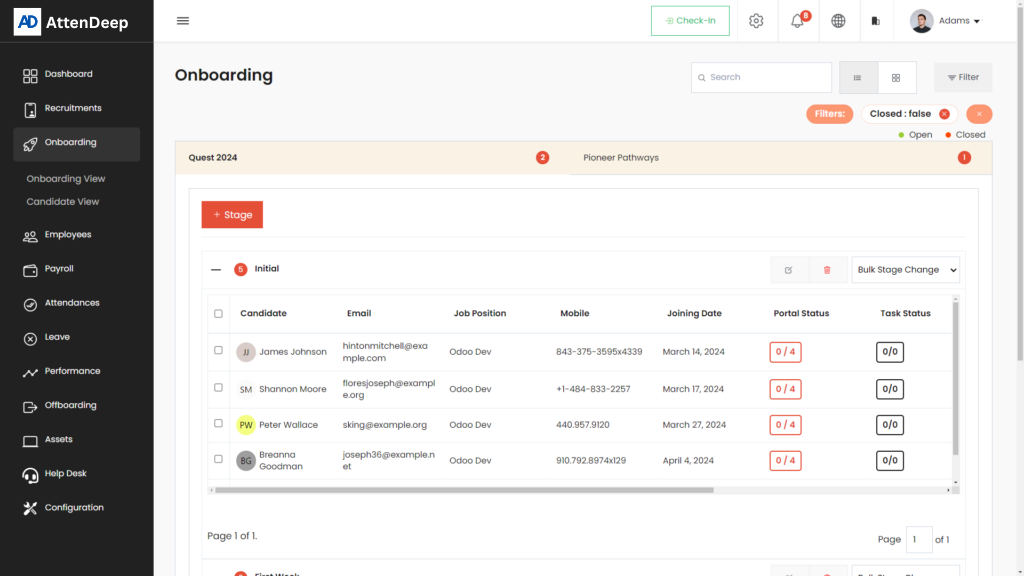
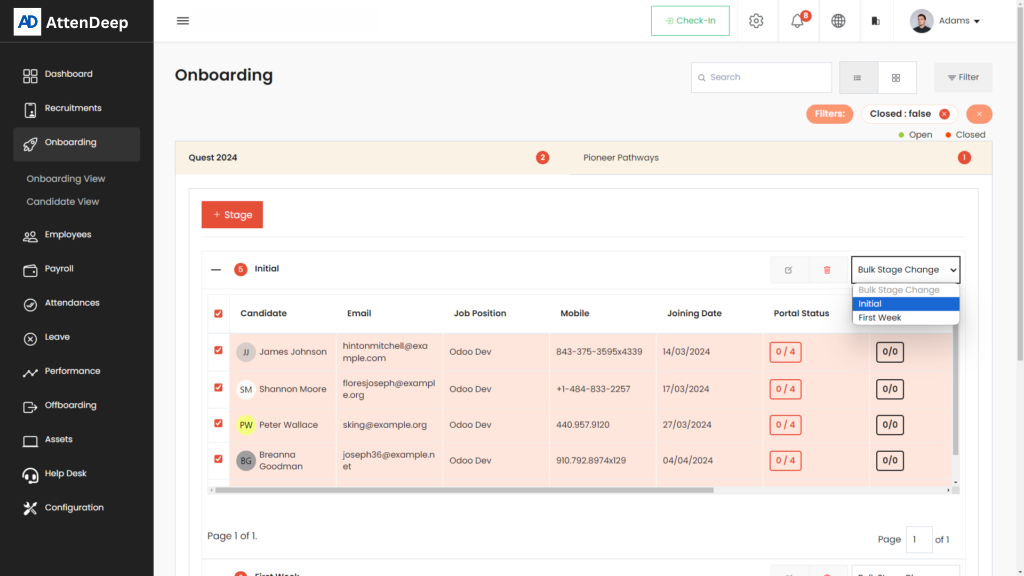
The Onboarding View in AttenDeep offers a centralized dashboard where recruiters and HR professionals can manage every detail of a new employee’s entry process. It clearly displays which stage each employee is currently in and outlines all the onboarding tasks they need to complete. With this view, HR can assign responsibilities, monitor deadlines, and ensure nothing is missed. It helps maintain consistency, reduces manual errors, and saves time by avoiding scattered information. This centralized approach provides clarity for both HR and the new employee, promoting a seamless transition from candidate to team member.
Stage Create Button
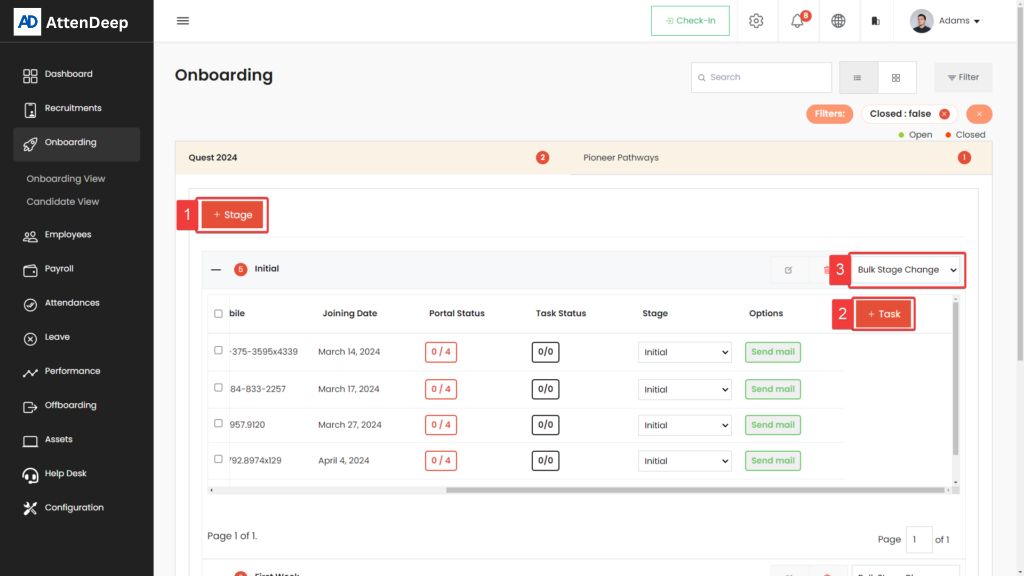
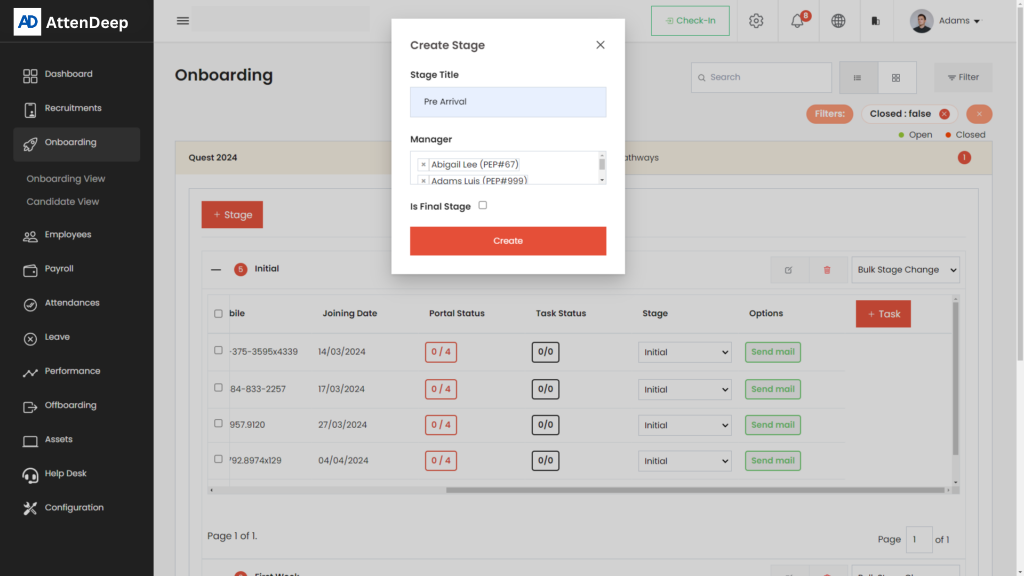
The "Stage Create" button (marked as 1) allows HR professionals to design customized onboarding steps tailored to their company’s process. Each stage can represent a task, meeting, document submission, or orientation milestone. Managers can assign owners to each stage to ensure accountability and track progress easily. This customization allows different departments to have their own specific flows while still staying aligned with overall company standards. It brings clarity to the onboarding pipeline and keeps everyone aligned on responsibilities and next steps.
Task Create Button
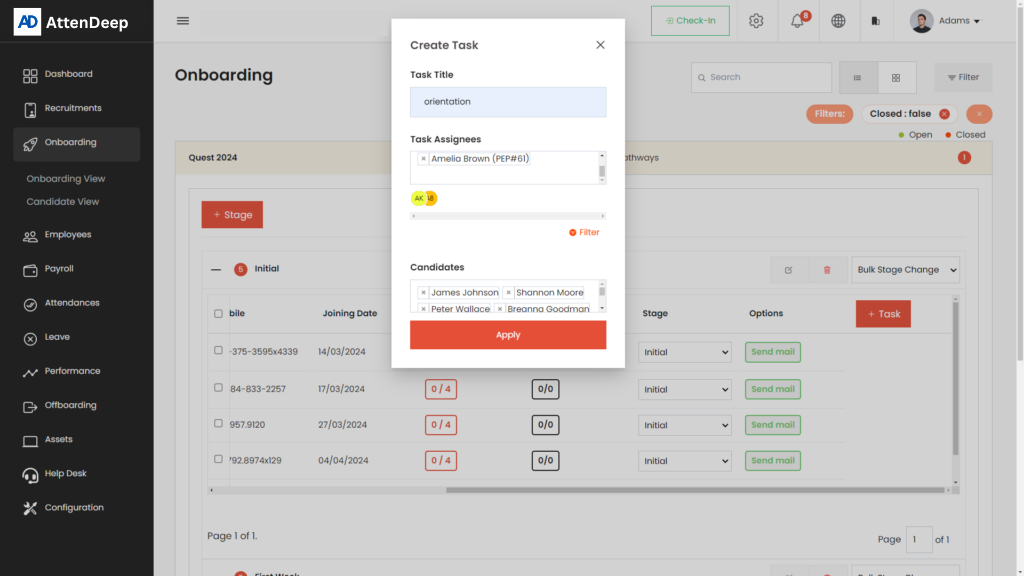
The Task Create button (marked as 2) is used to assign specific responsibilities within each onboarding stage. HR can define deadlines, task descriptions, and assign team members responsible for completing them. This feature keeps everyone on track and ensures no step is forgotten. Whether it’s scheduling a welcome meeting, collecting documents, or setting up email accounts, tasks can be easily monitored and updated. This structured approach boosts transparency, improves time management, and simplifies collaboration between departments.
Candidate Stage Bulk Update
This feature (marked as 3) is designed to save time by allowing HR professionals to move multiple candidates to a new stage at once. Instead of updating each profile manually, users can select a group of candidates and transition them to the next step collectively. This is especially useful when onboarding a large number of new hires, such as after a campus recruitment or bulk hiring. It increases efficiency, maintains process consistency, and helps large HR teams manage high-volume onboarding with ease.
Candidate View
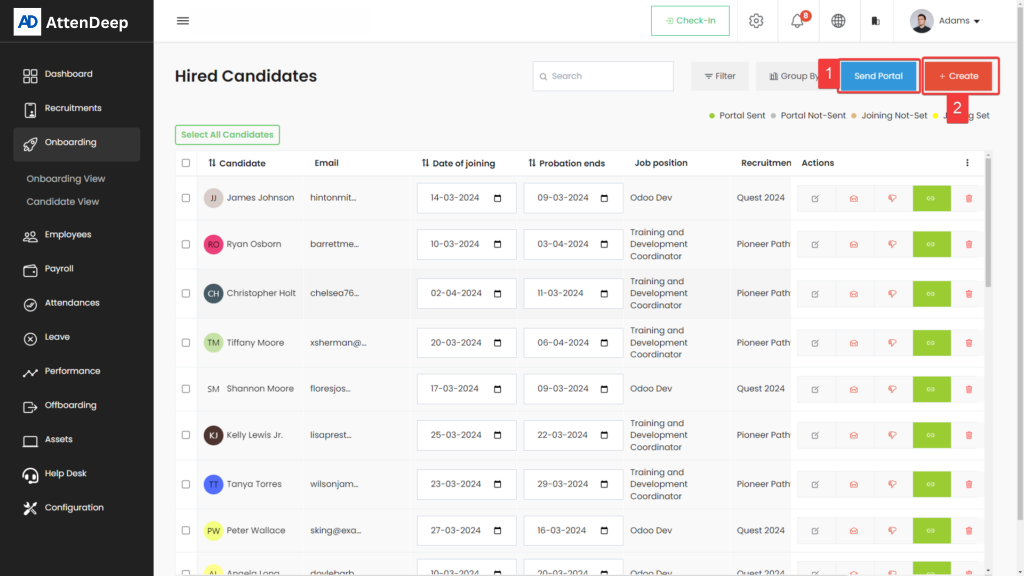
The Candidate View provides a complete overview of all new joiners in one place. It lists key details such as name, email, job title, joining date, and current onboarding stage. HR can sort, filter, and select candidates individually or in bulk to manage their progress. This view helps identify delays, track status, and manage group onboarding more efficiently. It's particularly helpful when working with batches of new employees and ensures every candidate gets the attention they need without missing a step.
Candidate Create Button
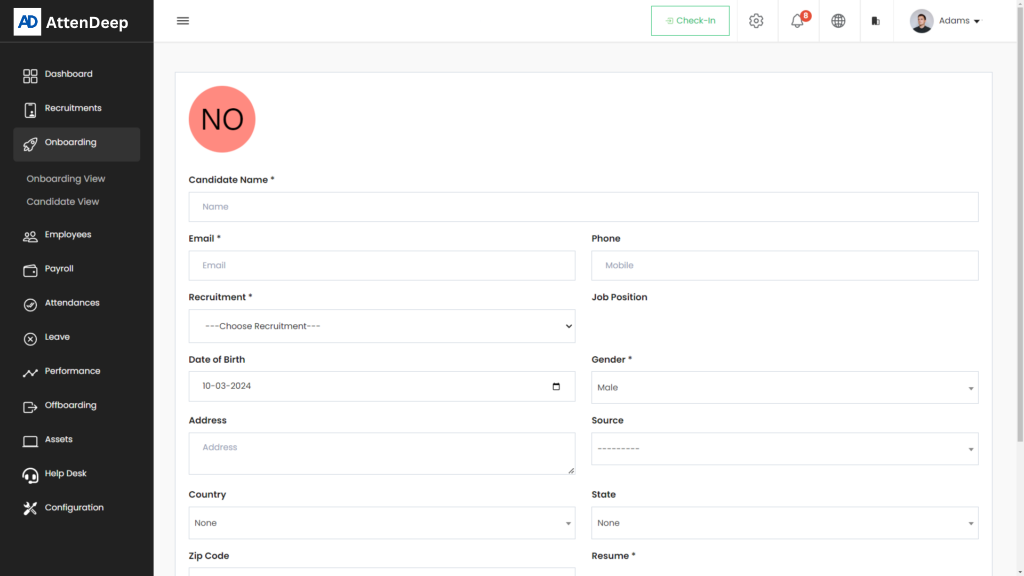
The Candidate Create button (marked as 2) gives HR the ability to manually add new employee profiles into the system. This is helpful when a candidate has not applied online but is being hired directly, such as through internal referrals or walk-in interviews. By entering their information manually, the onboarding process can begin immediately without waiting for third-party integrations or other software updates. It ensures flexibility in managing different hiring situations and keeps the workflow continuous.
Send Portal
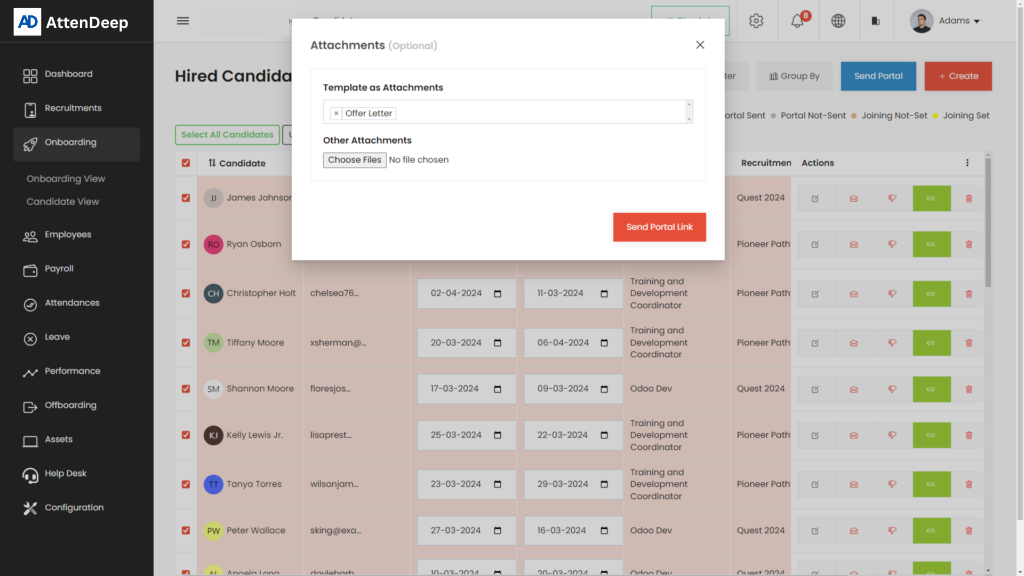
The Send Portal button (marked as 1) initiates the first step of onboarding for the candidate by sending them a personalized email. This email contains a secure link to the onboarding portal, where they can set up their account and begin filling out required details. Once submitted, HR takes over the internal steps. This feature simplifies communication and provides a clear, direct channel for new hires to begin their onboarding journey with confidence and clarity.
Onboarding Portal
The Onboarding Portal acts as the gateway for new employees to officially join AttenDeep. It’s a digital space where they can create their profile, fill out personal and financial details, upload documents, and acknowledge company policies. Everything is organized in easy-to-follow steps, making it simple even for first-time users. This process saves HR from repetitive tasks and ensures data accuracy. It also offers a professional and structured first impression to the new joiner.
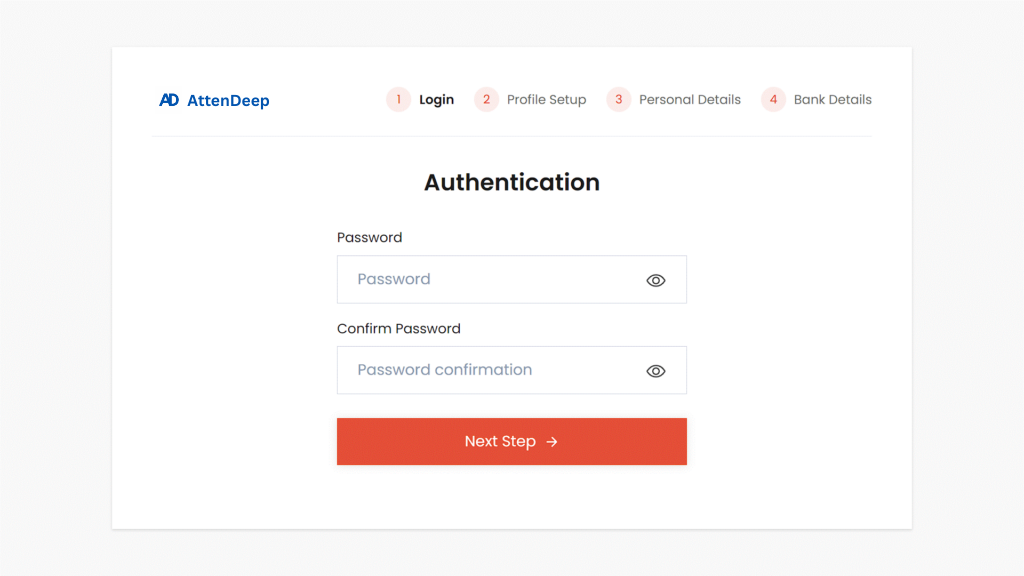
User Creation
During onboarding, new employees must create a user account with a secure password. The system recommends strong passwords—typically 12 to 14 characters with a mix of letters, numbers, and special symbols. This requirement protects their personal data and access to internal tools. Educating employees on good password practices from the start strengthens the company’s overall security and helps avoid data breaches or unauthorized access in the future.
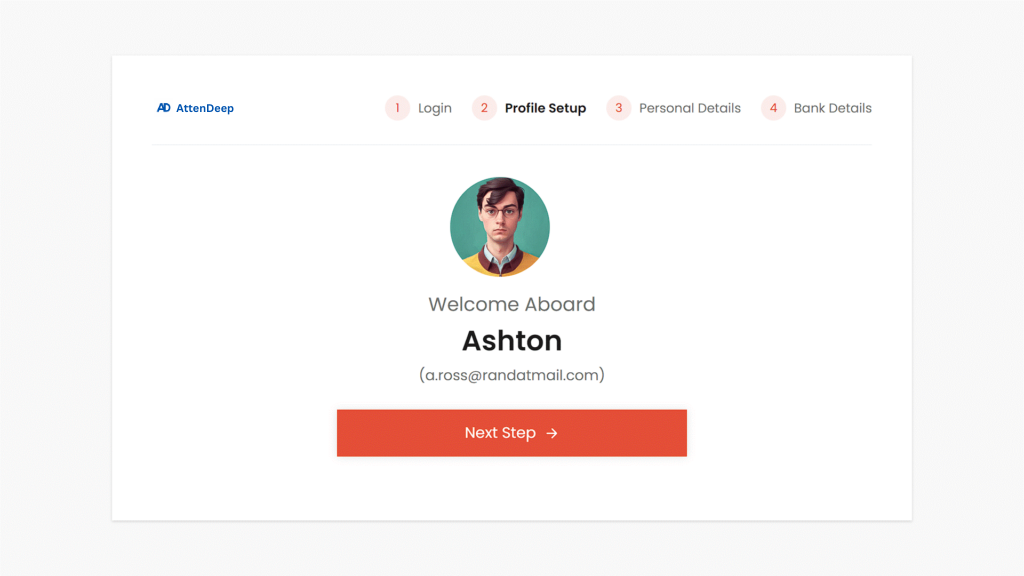
Profile View
After logging in, the employee is taken to their Profile View. Here, they can edit personal information like name, contact number, designation, and upload a profile picture. It gives employees ownership of their data and allows them to personalize their experience. This view acts as a central hub for managing basic profile updates and ensures that the HR records stay accurate and up-to-date at all times.
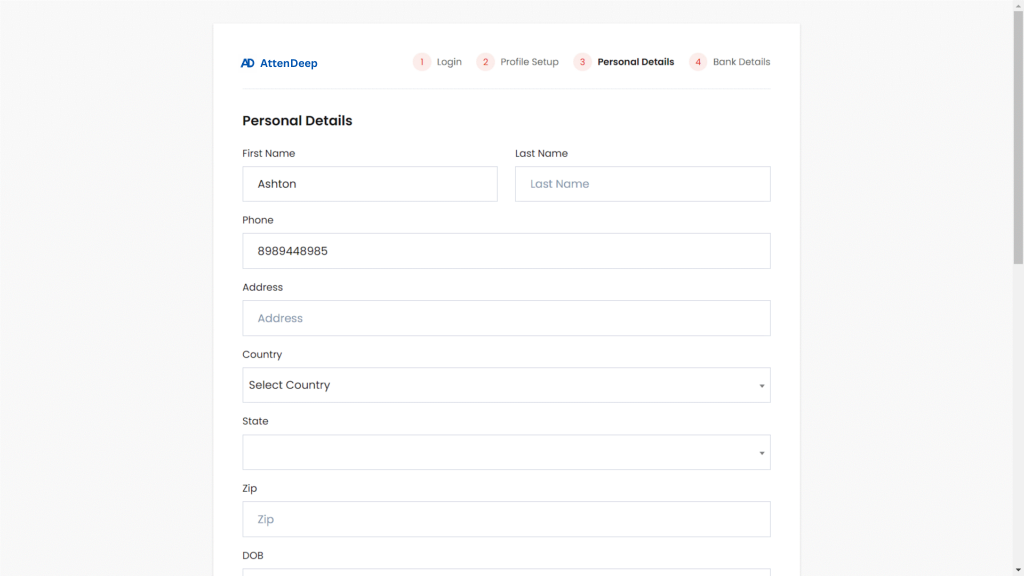
Personal Details Creation
As part of their onboarding steps, employees fill out a section with personal contact information, address, and emergency contact details. This ensures the company can reach them when needed and supports safety protocols. Completing this section is crucial for building a reliable employee database and allows HR to process payroll, benefits, and communication effectively.
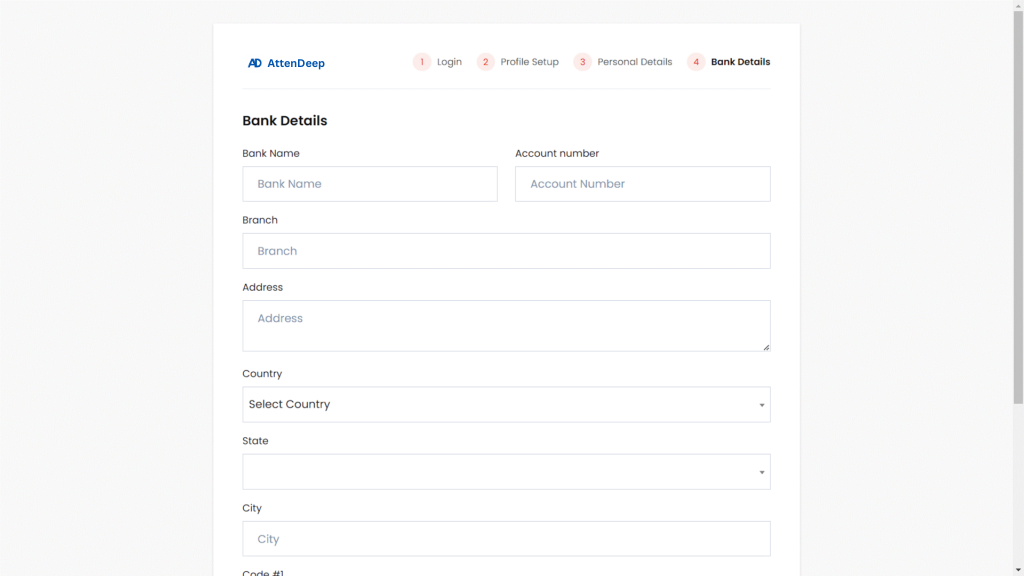
Bank Detail Creation
One of the last onboarding steps is entering bank account details. This is where salary and benefits will be transferred. By gathering this information during onboarding, HR avoids later delays or errors in payroll processing. The form is secured to protect financial data, and employees are guided step-by-step to make sure everything is filled in correctly.
Welcome Onboard
After completing all onboarding steps, employees are greeted with a Welcome Onboard message and redirected to their dashboard. This dashboard will be their daily workspace for tasks, communication, and performance updates. It marks the official beginning of their journey at AttenDeep. A warm welcome and well-organized start help employees feel confident, supported, and excited about their new role.