
Recruitment
The recruitment module in AttenDeep helps HR departments organize and simplify the hiring process. It provides tools to create job postings, manage applications, schedule interviews, and track candidate progress in one place. You can assign roles, review resumes, and shift candidates through custom stages. The goal is to save time and improve collaboration between hiring managers and recruiters. AttenDeep ensures nothing slips through the cracks and helps you hire the best talent without hassle.
Pipeline
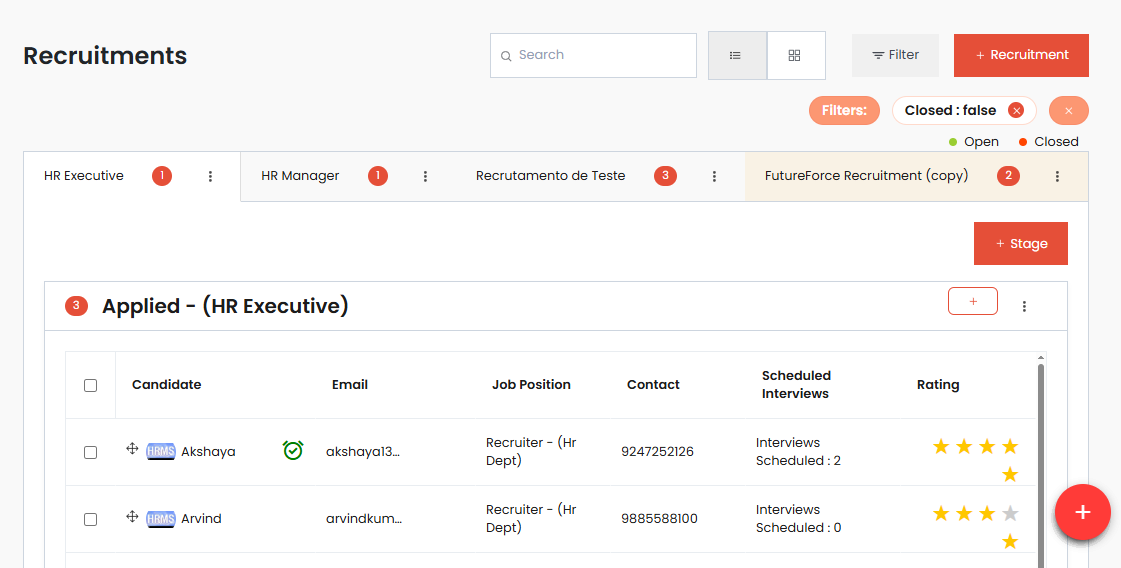
The pipeline feature lets you create and manage stages for every recruitment. Think of each stage as a step in your hiring journey—like shortlisting, interview, final round, etc. You can assign managers to control specific stages and grant them permissions. Candidates move from one stage to another either manually or through drag-and-drop in the Kanban view. Whether you prefer a list or board view, the pipeline gives a clear overview of where each applicant stands and who’s responsible for reviewing them.
Recruitment Setup
In AttenDeep, setting up recruitment starts by choosing a job title, defining the number of open positions, and assigning responsible managers. You can also add details like job description and deadlines. Once published, you can manage all stages under that role. This setup process allows full control over who can edit, close, or delete recruitments through the options menu. It’s a flexible way to handle multiple job openings without confusion.
Stages
Stages are the different steps that a candidate passes through during hiring. Depending on the role, each recruitment can have its own set of stages like Screening, Technical Round, HR Interview, etc. Managers can customize these stages and shift candidates accordingly. It gives a structured approach to reviewing applicants and avoids unnecessary back-and-forth between departments. Every update is recorded, ensuring clarity and accountability.
Updating Candidate Stage
Updating a candidate's stage is quick and intuitive. You can either select the next stage from a dropdown menu in the candidate row or simply drag the candidate card from one column to another in the Kanban view. This visual process saves time and helps HR quickly respond to changes in recruitment status. It also reduces manual errors by keeping all updates live and synced across the team.
Candidate Actions
For each candidate, you have built-in tools that streamline communication and documentation. With just one click, you can send confirmation or rejection emails, add private notes about interview outcomes, or view a full list of previous remarks. You can also access their resume instantly using the document icon. These small features make it easier to stay organized and maintain professional interaction with every applicant.
Application Form
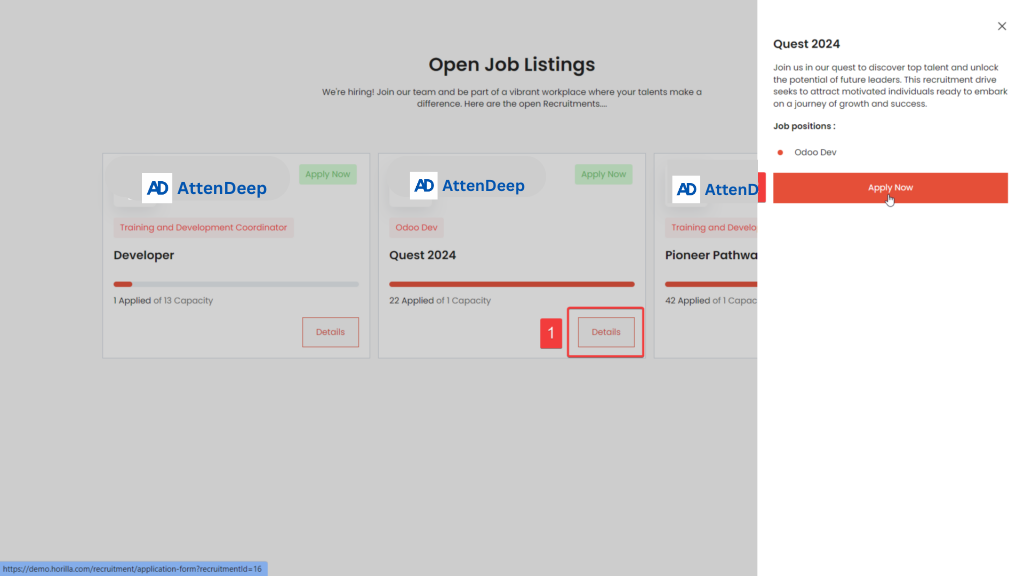
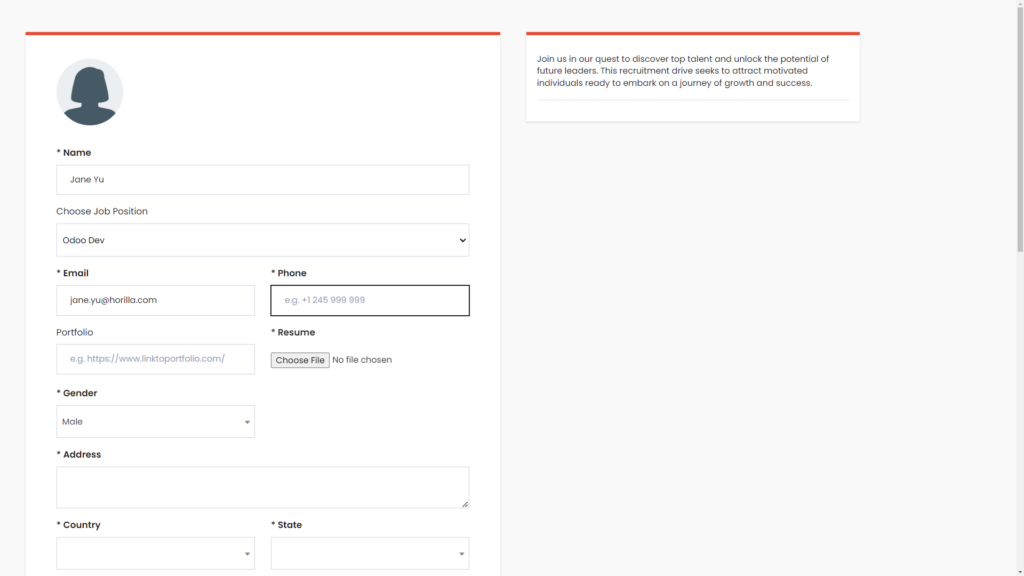
AttenDeep provides a recruitment application form that candidates can fill out online using a specific URL. This form captures their personal and professional details. Once submitted, the candidate is automatically added to the first stage of your recruitment pipeline. It's a hands-free method to start collecting applications without needing emails or manual entry. Share the form on job boards or your company website to attract applicants easily.
Hire Candidate
Once a candidate is found suitable, you can move them to the “Hired” stage. This change activates the onboarding flow in AttenDeep. The system now treats them as an employee and starts collecting data required for joining. You don’t need to switch to a different module or start from scratch—the recruitment and onboarding processes are seamlessly connected for a smooth transition.
Kanban
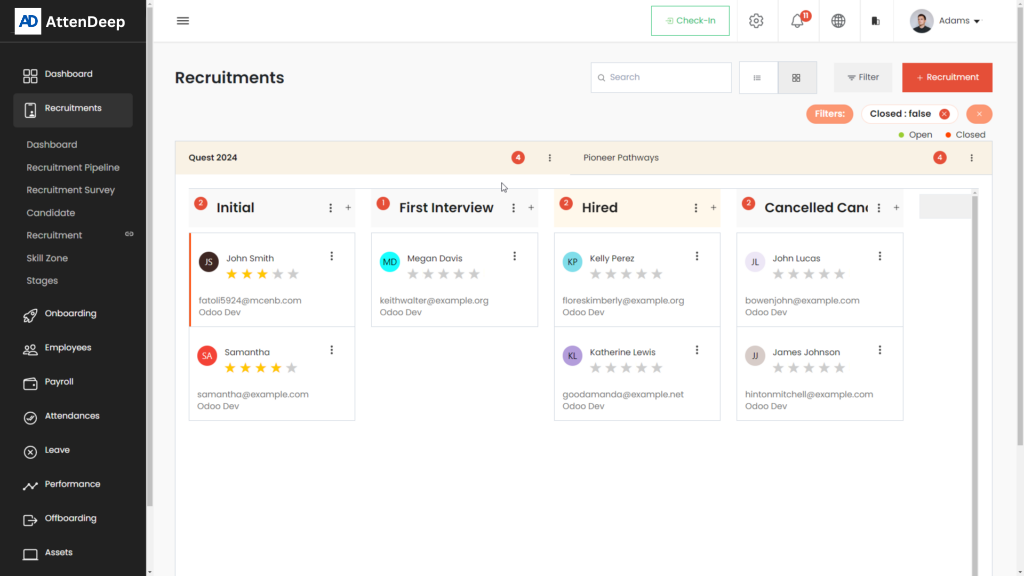
The Kanban view offers a visual representation of your recruitment pipeline. It displays each stage in a column and shows candidates as cards. You can easily drag and drop these cards to update their status. Along with this, each card gives quick access to send emails, view notes, or check candidate details. This view is especially useful when managing large volumes of applications.
Candidate Directory
All applicants are listed under the Candidate section. You can switch between list and Kanban views, use filters or search, and group candidates by job role or stage. The bulk action options let you archive or unarchive multiple entries, send emails in batches, or even manually add new candidates. With one click, you can convert a candidate to an employee, reject them with reasons, or move them to the Skill Zone for future consideration.
Candidate Profile
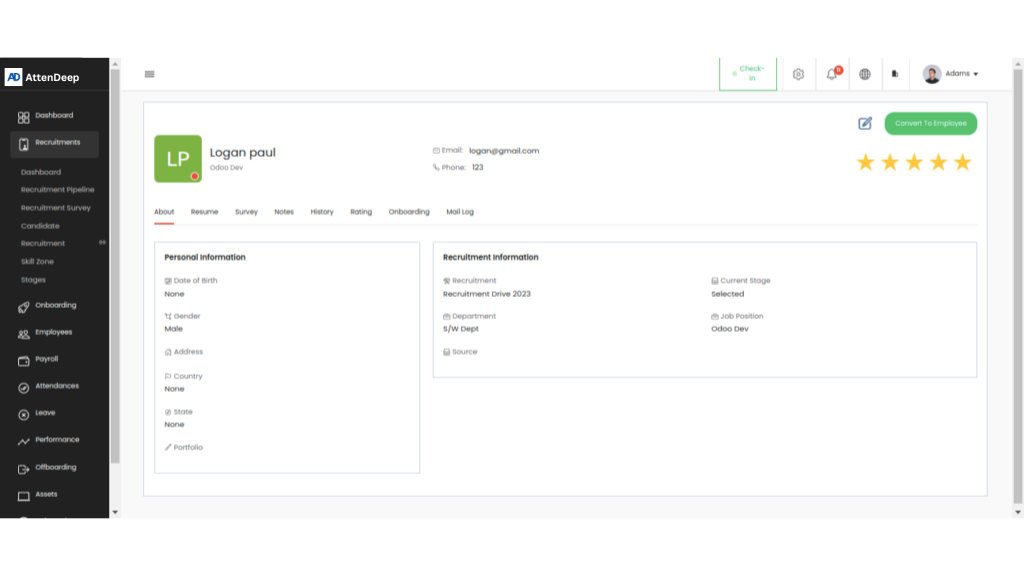
Each candidate has a dedicated profile with detailed information and action buttons. You can view and edit their personal info, attach resumes, assign star ratings, and check past interview history. Tabs are available for resume, notes, surveys, email logs, and more. There's also an option to convert the profile into an employee record once hiring is finalized.
Recruitment Overview
The overview section shows all your active recruitment projects in a collapsible list format. You can apply quick filters, duplicate a recruitment, or archive and delete old ones. Each job post displays the number of applicants and hires, letting you track performance at a glance. It’s the central place to manage multiple job openings.
Stage Management
The Stages tab lets you add, edit, or delete different hiring steps. You can rename stages to match your company's workflow and use the search bar to find them quickly. This feature helps keep your hiring structure clear and adaptable to different departments or job types.
Recruitment Survey & Applications
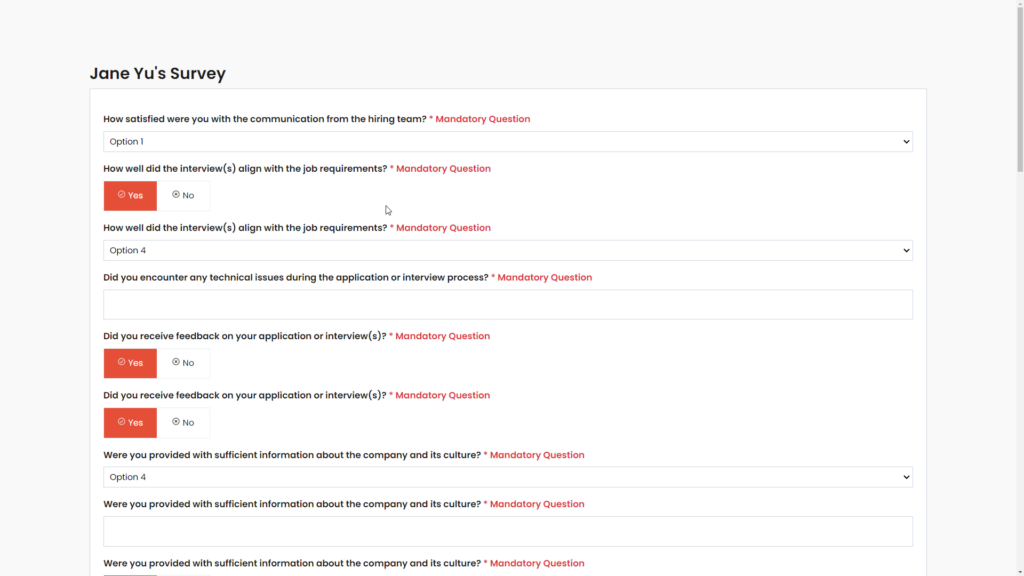
You can create surveys with grouped questions like personal info, work experience, and education. These templates are used in your job application forms to collect detailed data from applicants. Once prepared, you can share these forms on job sites or social platforms. It improves data quality and helps in shortlisting based on answers.
Open Jobs & Applications
Published jobs are accessible via a public link where applicants can fill out a short form in two simple steps. Their responses and survey answers go directly into the recruitment system. This ensures you don’t miss any detail and provides a structured way to gather candidate information.
Skill Zone
Skill Zone is a place where you keep candidates who aren’t selected right now but may be a good fit later. You can categorize them, view their resumes, and revisit them for future openings. This helps in building a talent pool and reduces time spent on future recruitments.