Configuration
AttenDeep HRMS (Human Resource Management System) offers a comprehensive set of configuration features aimed at improving organizational efficiency and streamlining HR operations. These features are thoughtfully designed to provide flexibility and customization, allowing organizations to tailor their HR processes to meet specific needs. Three notable configuration features in AttenDeep HRMS include Multiple Approval Conditions, Mail Templates, and Holiday Management.
Multiple Approval Conditions
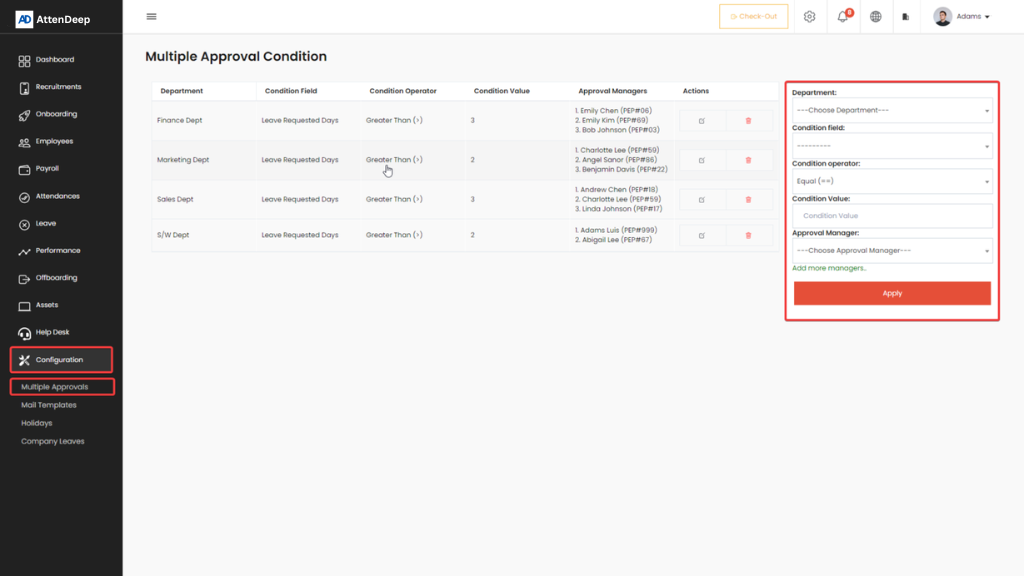
The Multiple Approval Conditions feature in AttenDeep HRMS allows organizations to create advanced and flexible approval workflows. While requests are typically routed to the reporting manager, this feature enables the addition of multiple approval levels based on specific criteria—such as the number of leave days requested or project-related conditions. This ensures that approvals are handled with greater precision and alignment to organizational policies.
Mail Templates
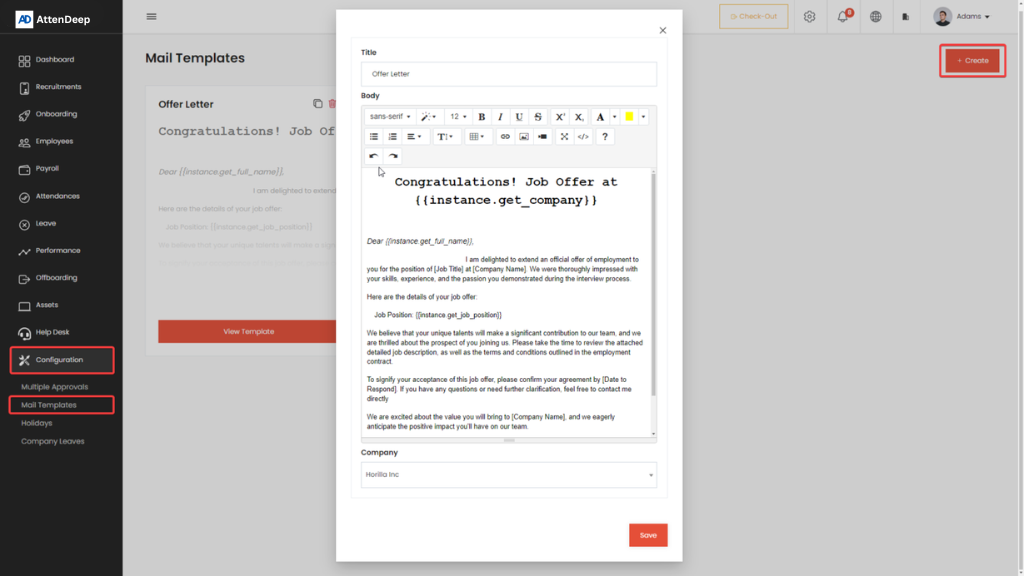
The Mail Template feature in AttenDeep HRMS provides a powerful and user-friendly tool for managing a wide range of email templates. Designed to streamline communication within HR operations, this feature allows users to create, edit, and utilize customizable email templates for various scenarios—such as recruitment, onboarding, and general employee communication.
Holidays
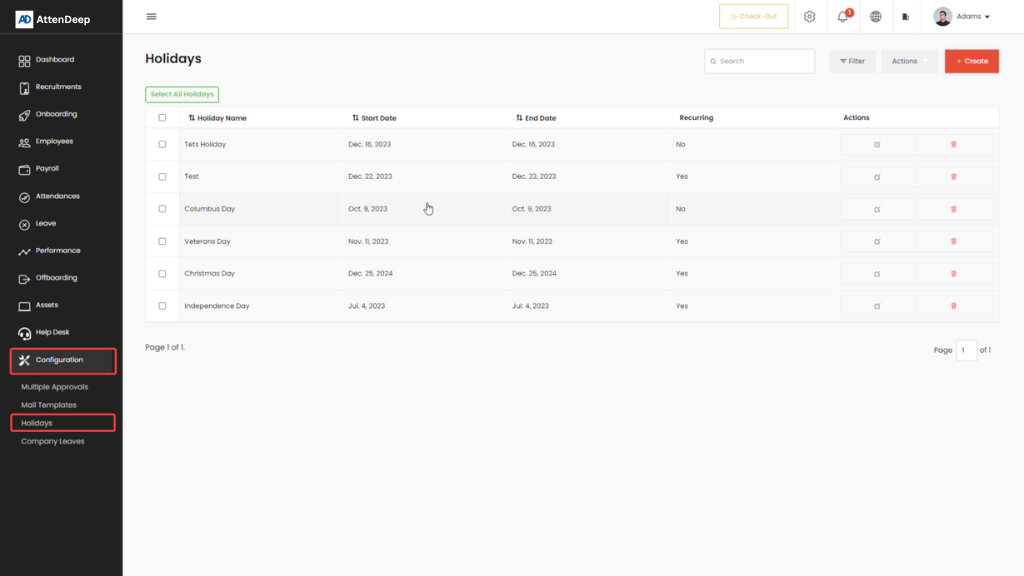
The "Holidays" feature in AttenDeep HRMS provides a centralized interface that displays all company holidays in a
clear, list-based format. It enables employees to easily view and keep track of upcoming holidays within the
organization. Administrators can conveniently create new holidays by entering details such as the holiday name,
start and end dates, and whether the holiday should recur annually.
This feature also supports importing and exporting holiday data in .xlsx format, simplifying bulk management and
updates. Overall, the Holiday view is a valuable tool for maintaining an up-to-date holiday schedule and ensuring
organization-wide visibility and transparency.
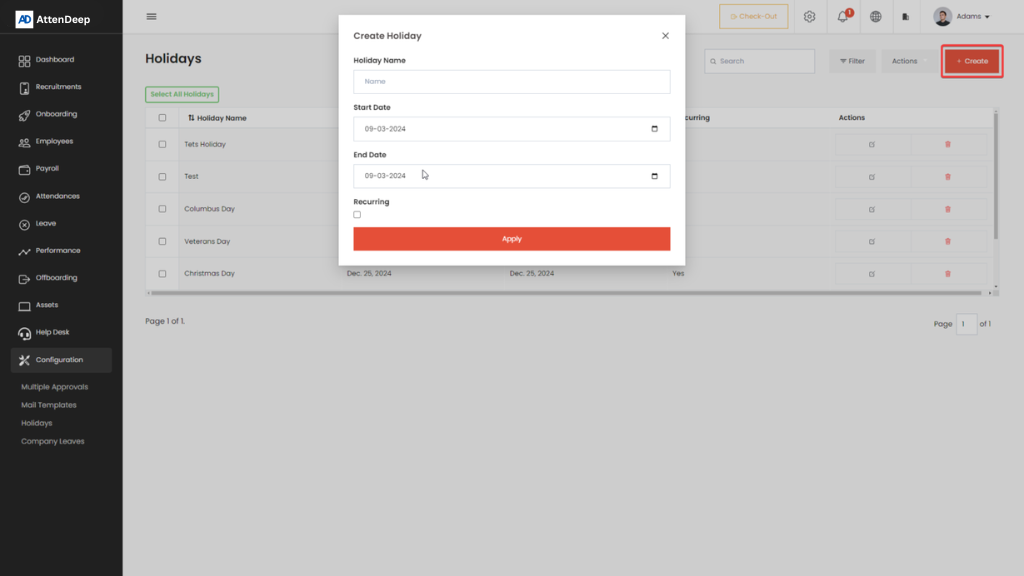
Holiday Create Button
The "Create" button in the Holidays section of AttenDeep HRMS enables users to easily add new holidays to the
organization’s official holiday list. This feature is especially useful for incorporating regional, cultural, or
company-specific holidays, as well as updating the calendar based on policy changes or government announcements.
By clicking the "Create" button, users can input all necessary details such as the holiday name, date(s),
recurrence (if any), and any relevant notes. Once saved, the new holiday entry becomes part of the holiday list
and is visible to all employees, helping to ensure transparency and timely awareness across the organization.
This functionality streamlines holiday management, keeping the schedule accurate and up-to-date with minimal
effort.
Holiday Action Button
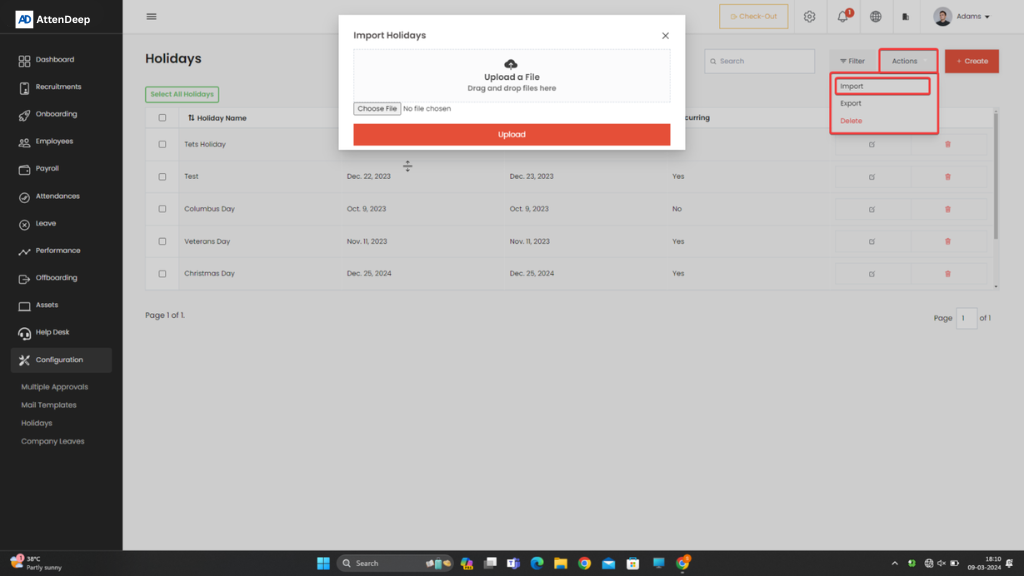
The "Action" dropdown button in the Holidays section provides users with three essential options for efficient holiday management:
- Import Holidays (.xlsx) – Allows users to bulk import holidays using an Excel file, eliminating the need to create each holiday entry individually. This is especially useful for adding a large set of holidays quickly.
- Export Holidays – Enables users to export the current holiday list into an Excel file (.xlsx format), providing a convenient way to share or back up the holiday schedule.
- Bulk Delete – Offers the ability to remove multiple holidays at once, streamlining the process of clearing or updating the holiday list as needed.
These options significantly enhance the flexibility and efficiency of managing holiday records within the system.