Leave
AttenDeep offers a smart and efficient Leave Management system that helps businesses and HR teams manage leave requests, balances, and approvals with ease. Whether you're handling casual, sick, or annual leave, AttenDeep ensures employees can submit requests quickly while managers can review and approve them efficiently. With real-time visibility, customizable leave types, and seamless approval workflows, it makes leave management transparent and hassle-free for everyone involved.
Dashboard
The Leave Dashboard offers a centralized view for HR and admins to monitor all leave activities. It includes data charts and summaries of pending, approved, and rejected requests. Admins can use this to track leave trends, ensure compliance, and make quick decisions using visualized insights.
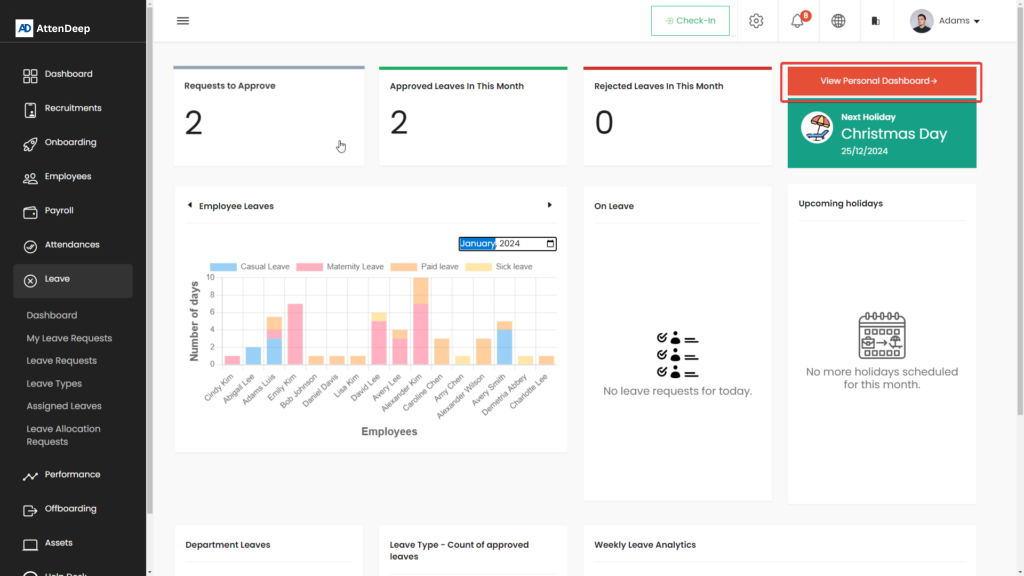
Personal Dashboard
This section is designed for employees to monitor their own leave details. It shows used leave, remaining balance, leave history, and request status in a clear layout. Employees can stay informed and plan their days off without needing to contact HR repeatedly.

My Leave Request
Employees can create leave requests directly from their dashboard. The form includes options to choose the leave type, dates, reason, and attach any necessary files. Once submitted, requests go to the assigned manager or HR for approval. This flow keeps everything structured and traceable.
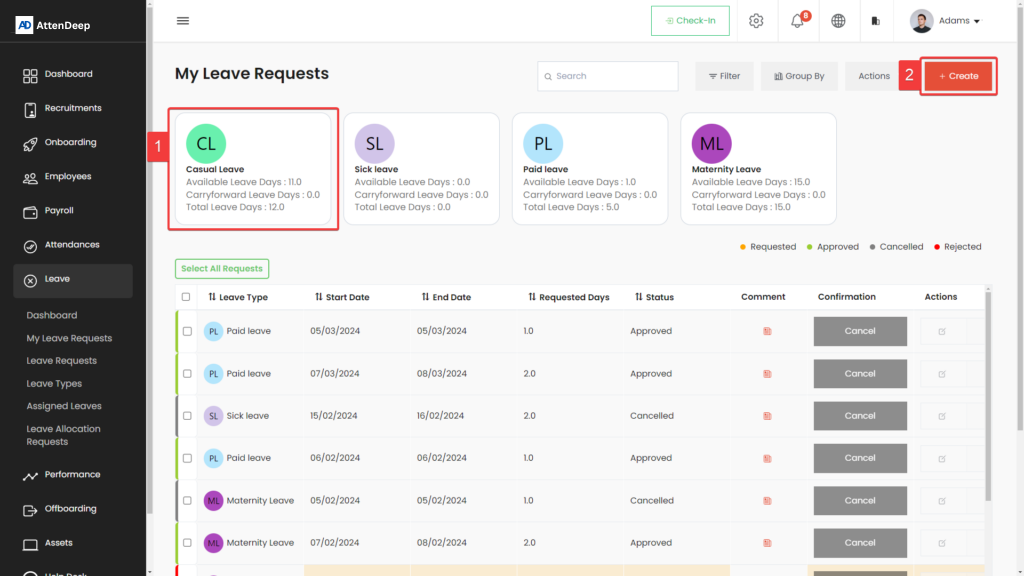
User Request Creation
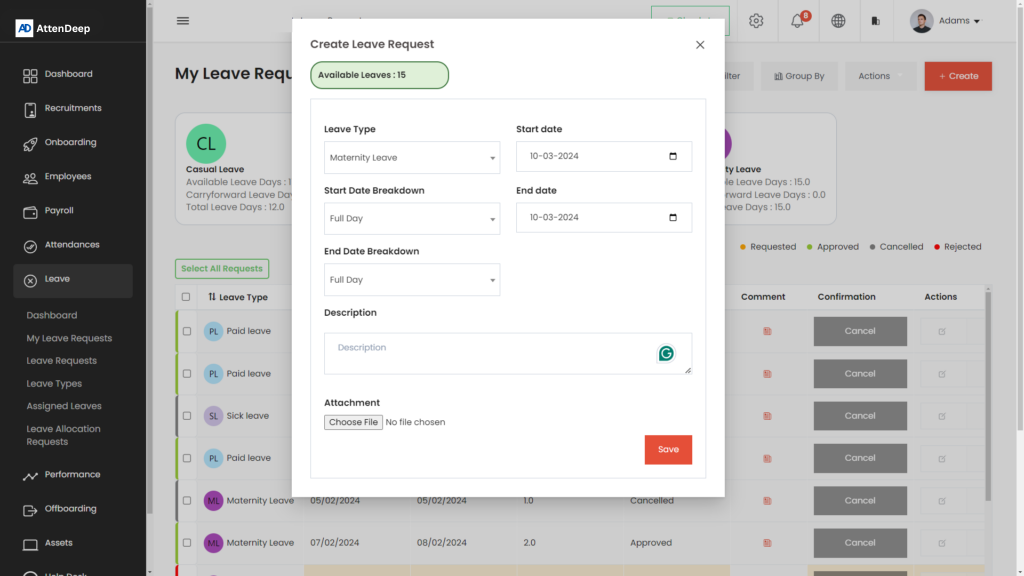
Leave Request
Managers and admins can view and manage incoming leave requests. The system provides action buttons to approve or reject requests and a detailed view of each submission. Everything is recorded with timestamps to maintain transparency and fairness in decision-making.
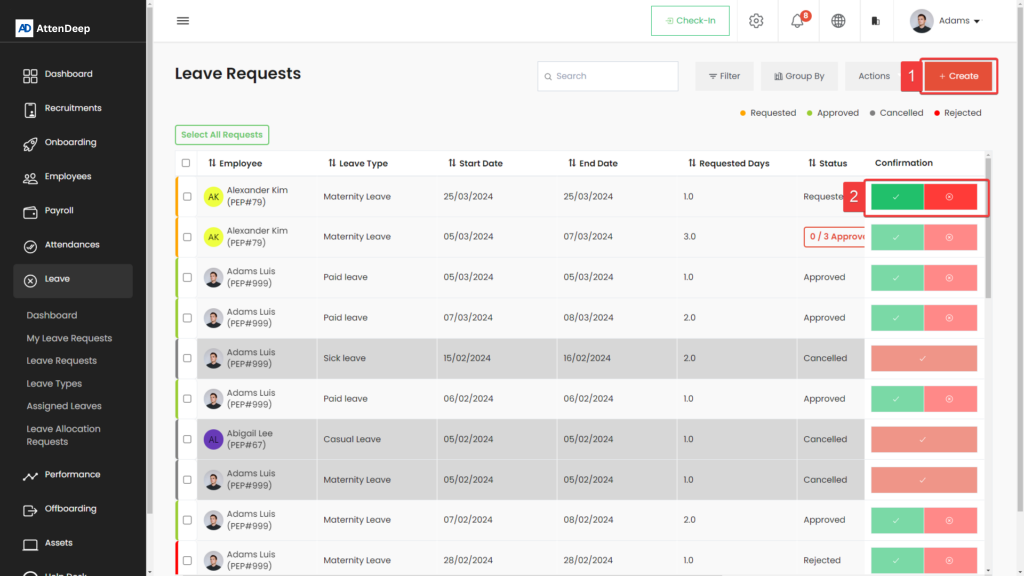
Leave Request Create Button
Lets users start a new request quickly. The form is designed to be user-friendly and minimize errors while entering dates and details.

Leave Request Approve/Reject Button
Gives managers control over request decisions, allowing them to respond immediately with optional feedback.
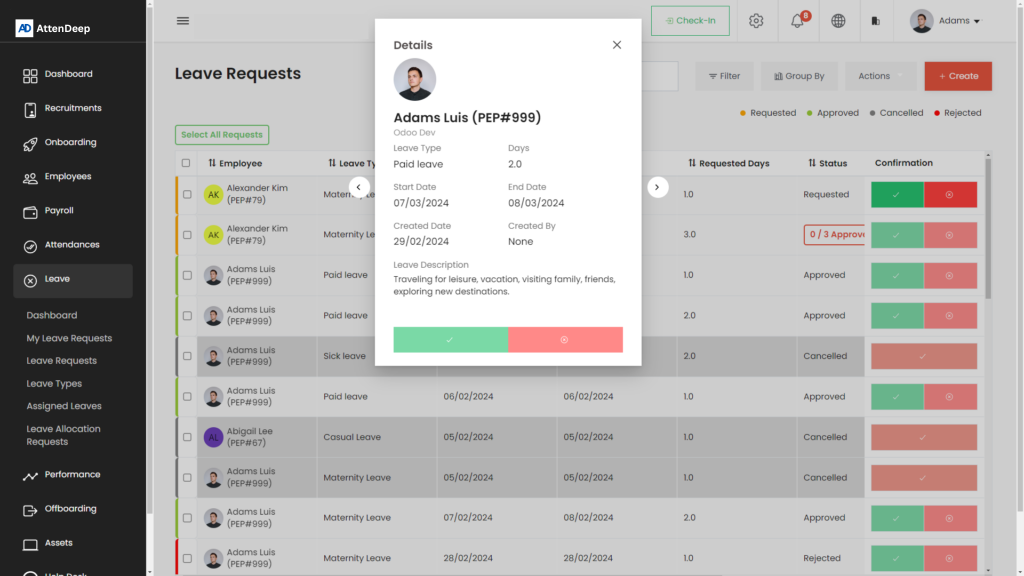
One Request View
Detailed view page of an individual leave request including all submitted data, status history, and attached documents.
Leave Type
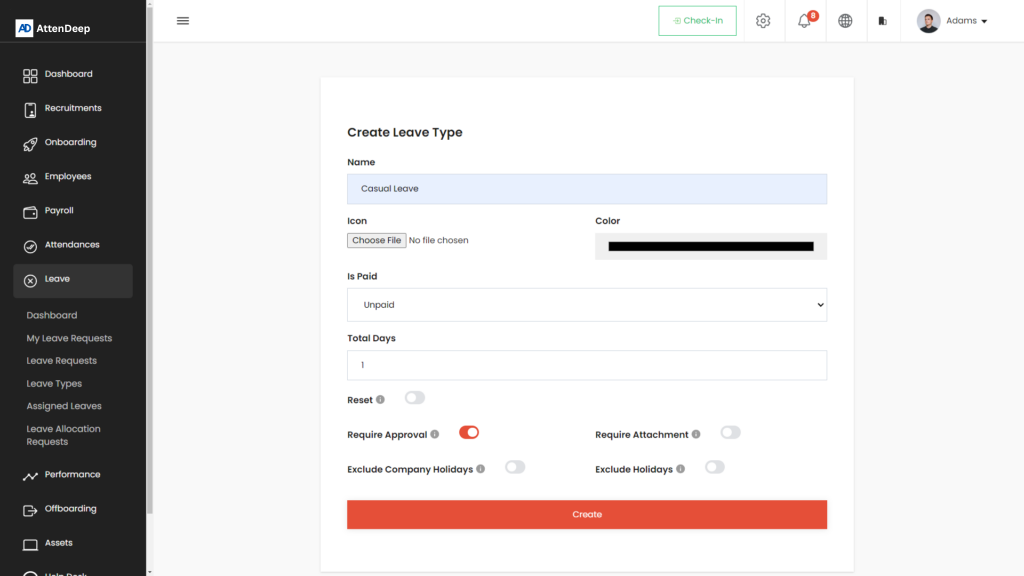
This section allows HR to define and manage different leave categories such as Sick Leave, Annual Leave, Maternity, etc. Each leave type can have its own policies, limits, and eligibility rules. This ensures flexibility and alignment with the organization's HR policy.

Leave Type Create Button
Used to define a new leave type with name, description, entitlement, and conditions. Helps customize the leave system.
Leave Assign One
Allows HR to assign specific leave types to individual employees or groups based on job roles, tenure, or departments.

Assigned Leave
This feature helps HR track and manage leaves that are already assigned to employees. It includes tools to edit or update allocations as per company policy or employee needs.

Assign Button
Lets HR assign available leave to a selected employee with start/end dates and total days allocated.

Available Leave Update Button
Provides the option to edit existing leave balances in case of policy changes, carry-forwards, or manual adjustments.

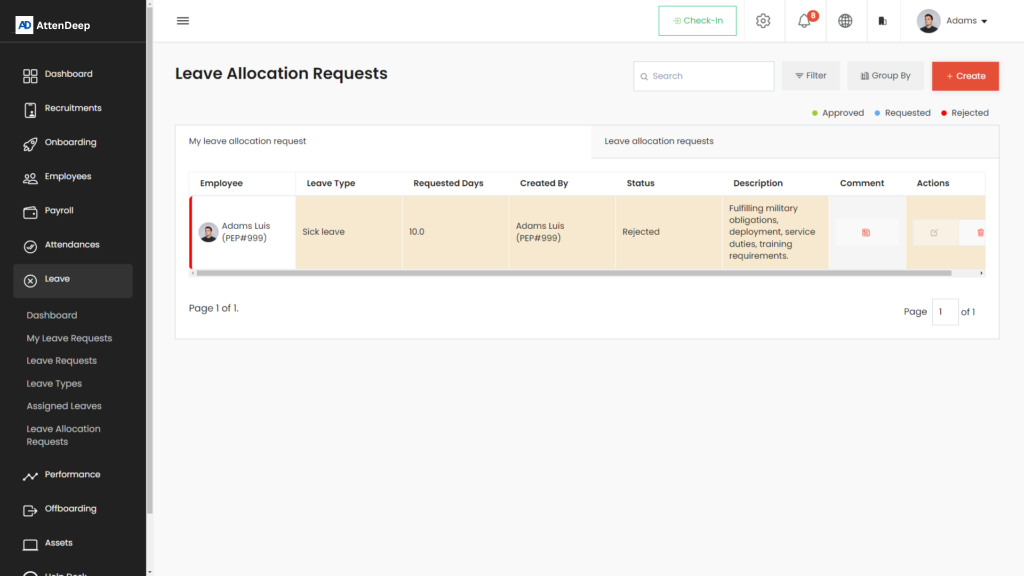
Leave Allocation Request
Enables employees to request additional leave allocation if they have run out or need special consideration. Managers can then review and respond to these requests accordingly.
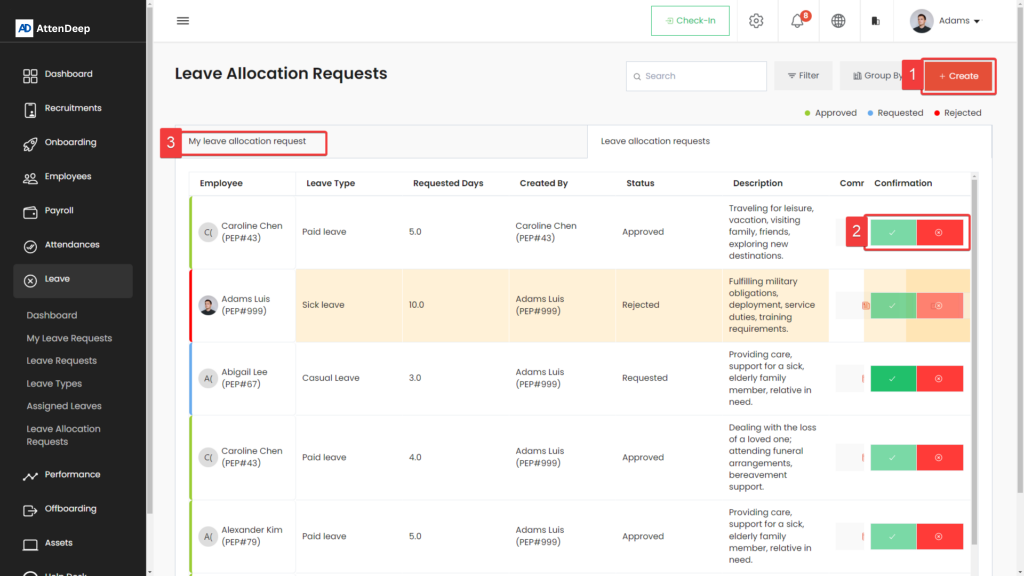
Leave Allocation Request Create Button
Lets employees submit a request with reason and required leave days. The process is simple and transparent.

Leave Allocation Request Approve/Reject Button
Used by managers to process extra leave requests. Feedback and reasoning can also be added before final decision.
My Leave Allocation Request
Shows employees all their past and current extra leave requests with status updates and any remarks provided by HR or management.